FeeCut: Know Exactly How Much Credit Card Fees Are Eating Into Your Sales
Card Fees Are a Silent Margin Killer
Most craft fair vendors know they pay "around 2-3%" to accept cards, but few actually track what that adds up to across a full market day. Sell $800 worth of handmade goods on Square, and you're handing back roughly $21 in processing fees before you even count booth fees, supplies, or travel. Over a full season, that's a significant line item.
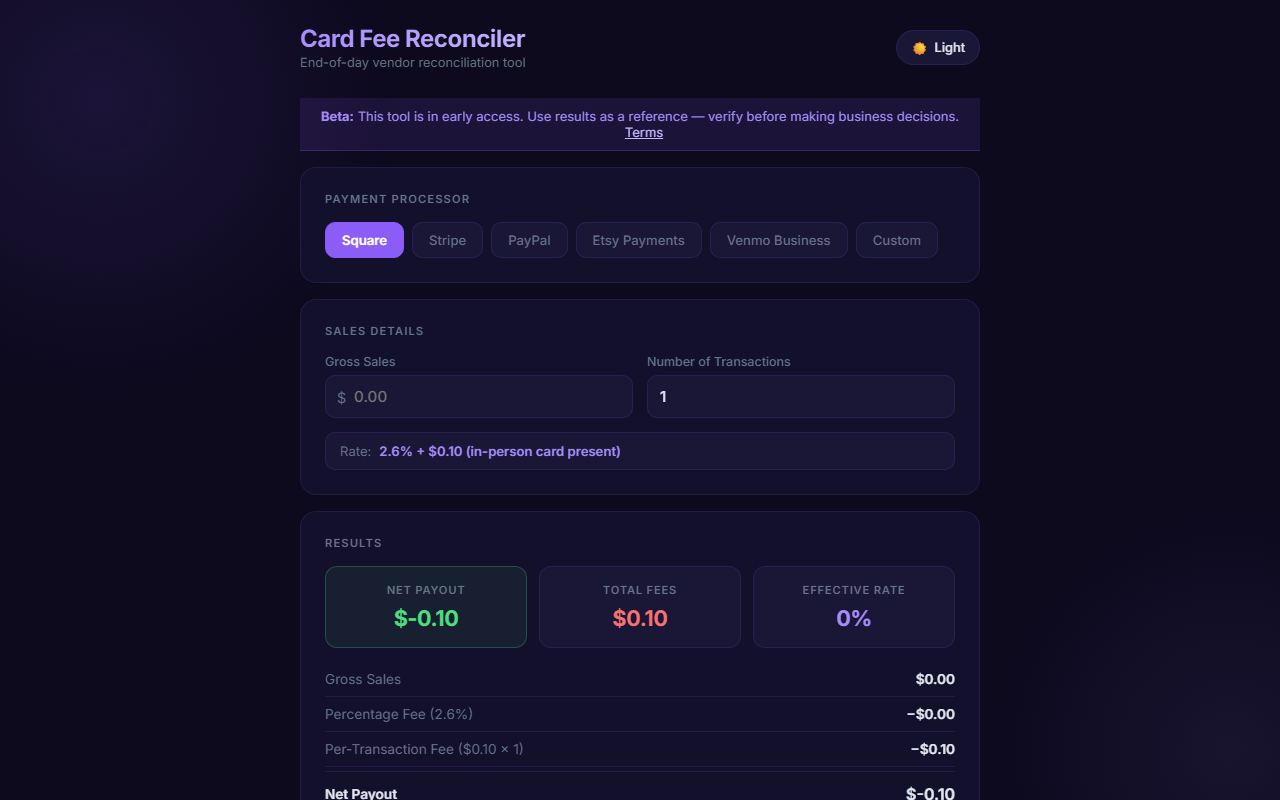
FeeCut is a free calculator that shows you exactly what you net after processing fees — per transaction and in total. No guesswork.
Square, Stripe, PayPal — Side by Side
Different processors charge different rates, and the difference adds up. Square's in-person rate is 2.6% + $0.10. Stripe Terminal is 2.7% + $0.05. PayPal Zettle runs 2.29% + $0.09. On a $30 sale those differences are small, but once you're doing hundreds of transactions across a season, choosing the right processor matters.
FeeCut lets you enter a sale amount and instantly compare what you'd actually take home from each processor so you can make an informed decision.
Pricing to Protect Your Margins
One of the most useful features in FeeCut is reverse calculation: if you want to net exactly $25 on an item after Square takes its cut, what do you need to charge? FeeCut tells you. This is far more useful than guessing or rounding up and hoping for the best.
Knowing your true net helps you set prices that actually reflect your costs — not just your material and time costs, but your transaction costs too.
When Keyed Transactions Cost You More
Manually entering a card number because the chip reader failed is significantly more expensive than a tap or swipe. Square charges 3.5% + $0.15 for keyed entries versus 2.6% + $0.10 for in-person swipes. FeeCut accounts for these different rates so you know exactly what you're losing when your reader acts up.
Use It Alongside Your Other Vendor Tools
FeeCut pairs naturally with a cash change calculator like MakeChange — use FeeCut to understand card costs, and MakeChange to handle the cash side cleanly. Both tools, along with pricing calculators and more, are available free at VendorTools.app.
Try It Before Your Next Market
Open feecut.cc in your browser right now, no account needed. Run your typical sale amounts through it and see if your current pricing actually leaves you the margin you think it does. Most vendors find at least one pricing adjustment worth making.
Frequently Asked Questions
Sources & References
- MakeChange
- VendorTools.app
- feecut.cc
- VendorTools: The Free Toolkit Every Craft Fair Vendor Needs — VARØ Industries Blog
- FairKeep: The Event Tracker Built for Craft Fair Vendors — VARØ Industries Blog
- How to Price Handmade Products: Using MarginD for Craft Vendors — VARØ Industries Blog
- MakeChange: Never Count Back Change Wrong at a Craft Fair Again — VARØ Industries Blog
- How to Back-Calculate Sales Tax from a Total (Reverse Sales Tax) — VARØ Industries Blog