gotinfo.net answers questions about your own connection: your IP, where it says you are, your DNS, your browser fingerprint. Its lookup tools will tell you about any other domain too, as long as you copy the domain over and paste it in.
GotInfo — Site Intel skips that step. It's a free Chrome extension, and as of today it's live on the Chrome Web Store. Click the GotInfo icon in your toolbar and it looks up the site in your current tab: who hosts it, who registered the domain, what its DNS says, and how its security headers look.
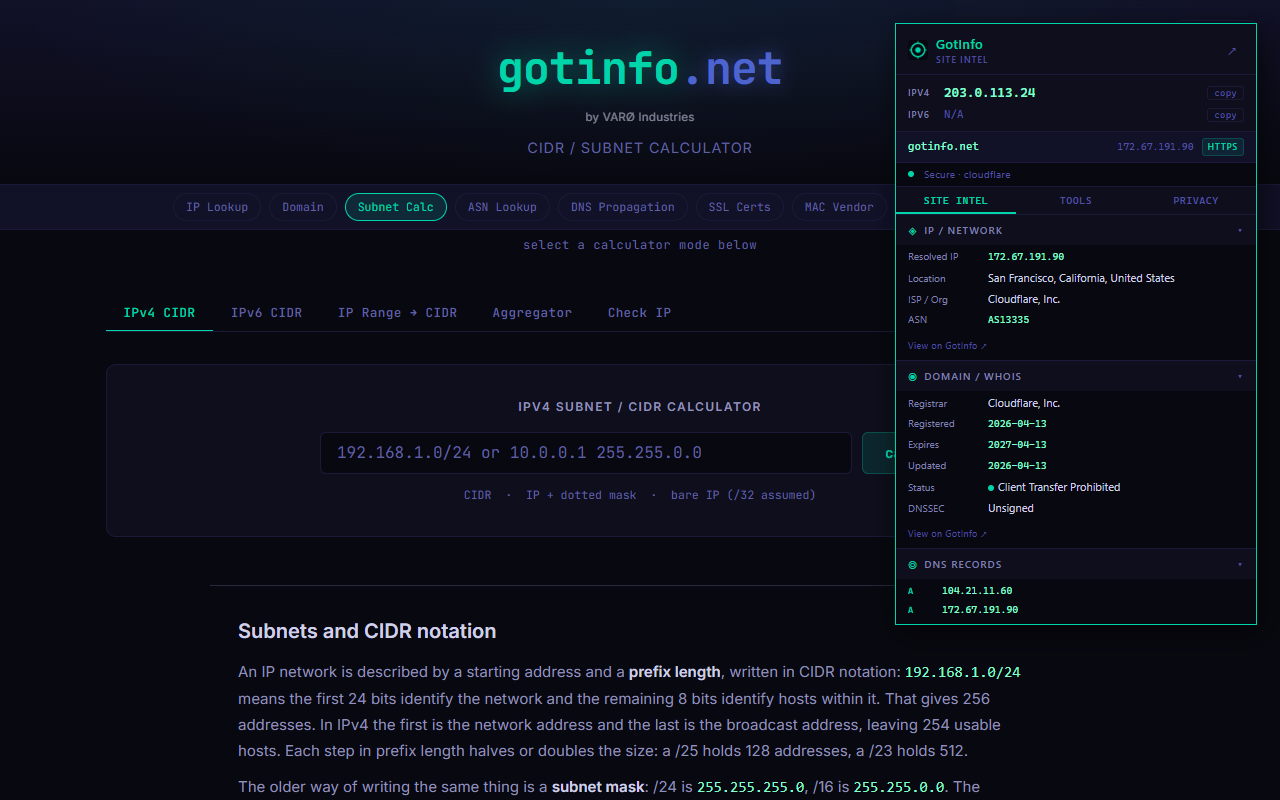
The popup on gotinfo.net: your IP at the top, then the site's network, domain and DNS cards.
Three Tabs
The security headers check covers Content-Security-Policy, Strict-Transport-Security, X-Frame-Options, X-Content-Type-Options and Permissions-Policy. It's a quick way to see whether a site has done the basics, and a quick way to check your own sites after a deploy.
What It Sends, and Where
GotInfo has no account, no analytics and no server of its own in the middle. Each lookup goes straight from your browser to a public service:
- ipify for your own public IP
- Cloudflare DNS-over-HTTPS for the site's DNS records
- rdap.org for domain registration
- ipwho.is for the site IP's location and network owner
- macvendors.com for MAC vendors, and only the six-digit vendor prefix you type in
The extension asks for access to all sites, which looks like a lot, so here's what it's for. Chrome only lets an extension read a site's response headers and count its cookies if it has access to that site, and the site in your tab could be any site. GotInfo uses that access to note up to eight response headers when a page loads, and to count cookies when you open the popup. It counts cookies without reading them, never blocks or changes a request, has no content scripts, and deletes each tab's headers when the tab closes. The privacy policy has the full breakdown.
Get It
Install GotInfo — Site Intel from the Chrome Web Store, then pin it to your toolbar so it's one click away. The extension page on gotinfo.net covers every feature and permission. If you're on Windows and want to see what your own PC is doing on the network, gotinfo.local is its desktop counterpart.
Check out more free tools and extensions at varo.industries/apps.
Frequently Asked Questions
Sources & References
- GotInfo — Site Intel — Chrome Web Store
- GotInfo browser extension — features and permissions
- GotInfo Privacy Policy: browser extension
- About RDAP — rdap.org
- DNS over HTTPS — Cloudflare