If you built your YouTube gear lists on Kit.co — your tools, your materials, your affiliate links — they're gone. The links don't redirect. The pages are 410s. Three days after the shutdown, the situation is simple: your Kit.co links are dead, and you need somewhere to rebuild.
MakerManifest is what I built for exactly this. Gear lists, affiliate link management, short links, click tracking — focused on makers, woodworkers, and YouTube creators. It launched in April 2026 and Kit.co shut down a month later, which is either good timing or coincidence depending on how you look at it.
What Kit.co Did (And What It Didn't)
Kit.co was a product curation tool — you could build collections of gear, link to Amazon and other stores, and share them with your audience. Creators used it as a dedicated page for "what's in my shop" or "tools from this video." It was clean, it worked, and a lot of YouTube channels had it in their link-in-bio.
What it didn't do well for makers: no automatic affiliate tag application, no speakable short links for video audio, no YouTube description export, no per-link click analytics. It was a display tool, not an affiliate workflow tool.
What MakerManifest Does Instead
MakerManifest is built around the actual affiliate workflow — not just displaying gear, but managing the links that earn from it:
- Gear Lists — organized by project, video, or category. Any store, any URL.
- Amazon Auto-Tagging — enter your Amazon Associates tag once. Every Amazon URL you paste gets it applied automatically.
- mkr.ms Short Links — every product gets a clean, short link (e.g.,
mkr.ms/KutzallWheel). Speakable in video audio, not just descriptions. - YouTube Description Export — one-click formatted block ready to paste into a video description.
- Click Analytics — per-link click counts so you can see what your audience actually engages with.
How to Migrate From Kit.co
MakerManifest has a built-in Kit.co import tool — if you exported your data before the shutdown, you can import it directly.
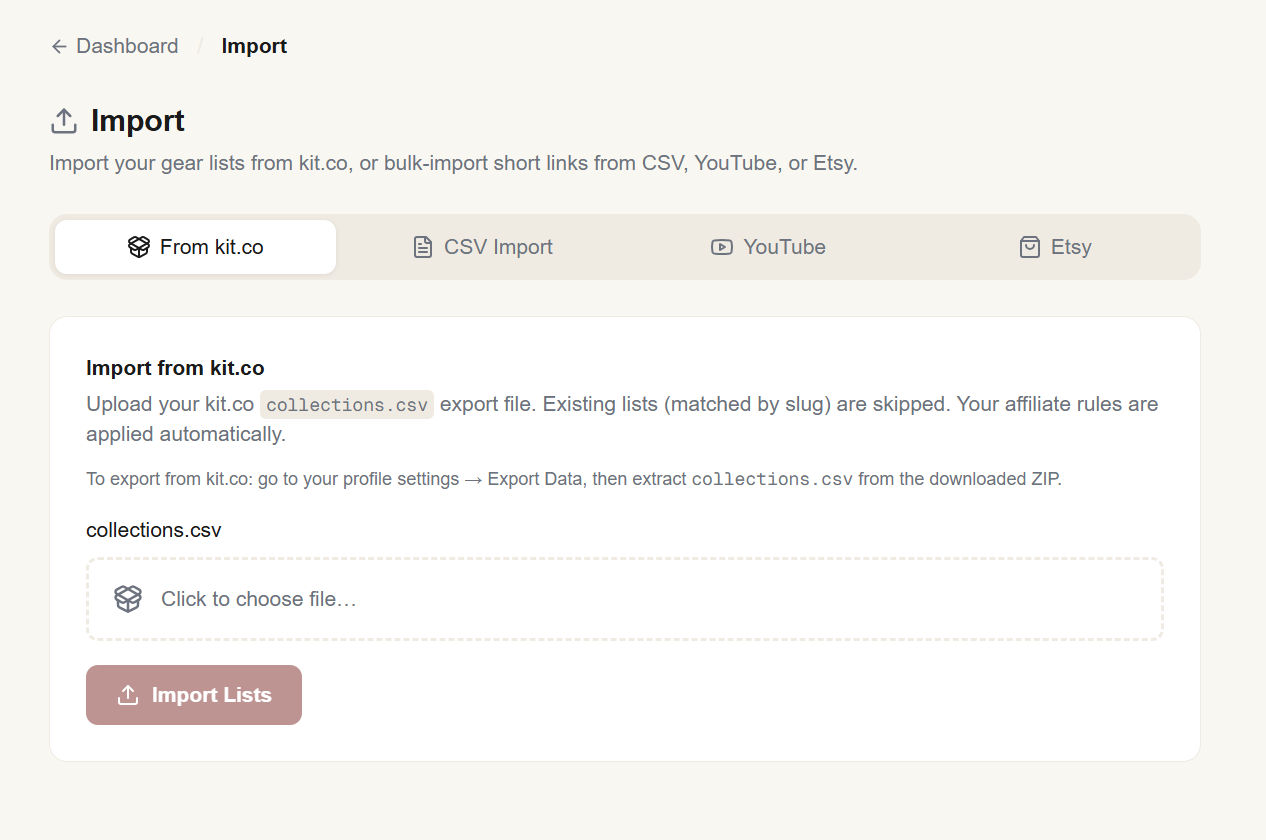
MakerManifest's Kit.co import — paste in your exported data and your lists rebuild automatically.
If you didn't export before May 11:
- Go to kit.co and use the data export request form while it's still available (60-day window from May 11).
- Sign up at makerManifest.co — free, no credit card required.
- Use the Kit.co import tool, or rebuild your lists manually. Product images and prices fetch automatically when you paste a URL.
- Update your YouTube descriptions and bio links with your new
mkr.msshort links.
Update Your Links Everywhere
Every video description that linked to a kit.co page is now pointing at a dead URL. The fix is to update those descriptions with new links — either to your MakerManifest gear lists or directly to the products. This is tedious but important: dead links in descriptions hurt both your affiliate earnings and how YouTube treats your channel.
The mkr.ms short links from MakerManifest are worth setting up properly because they're stable — they redirect to whatever the current product URL is, and you can update the destination without changing the short link. That means if Amazon changes a URL or a product goes out of stock, you fix it once in the dashboard and every description that uses mkr.ms/YourProduct is automatically corrected.
Frequently Asked Questions
mkr.ms short links, tracks clicks per link, and exports formatted YouTube description blocks. More workflow-focused than Kit.co was.Sources & References
- MakerManifest
- MakerManifest: The Free Gear List & Affiliate Tool I Built for Makers — VARØ Industries Blog
- How MakerManifest Works: Gear Lists, Short Links, Affiliate Tracking — VARØ Industries Blog
- How I Use MakerManifest to Earn from My YouTube Gear Lists — VARØ Industries Blog