Every guide bushing template starts with the same bit of arithmetic, and it's the bit that goes wrong. The bushing is wider than the bit, so the cut never lands on the template edge. It lands a little way off it. Draw the template at the size of the finished pocket and the pocket comes out too big. Draw it at the size of the part and the part comes out too small.
I make a lot of acrylic templates on the laser, and I got tired of doing that math by hand for every shape, so I built a tool for it. Rideline is free, runs in your browser, and turns a shape or your own SVG into a template that's ready for a laser or CNC, with the offset already applied.
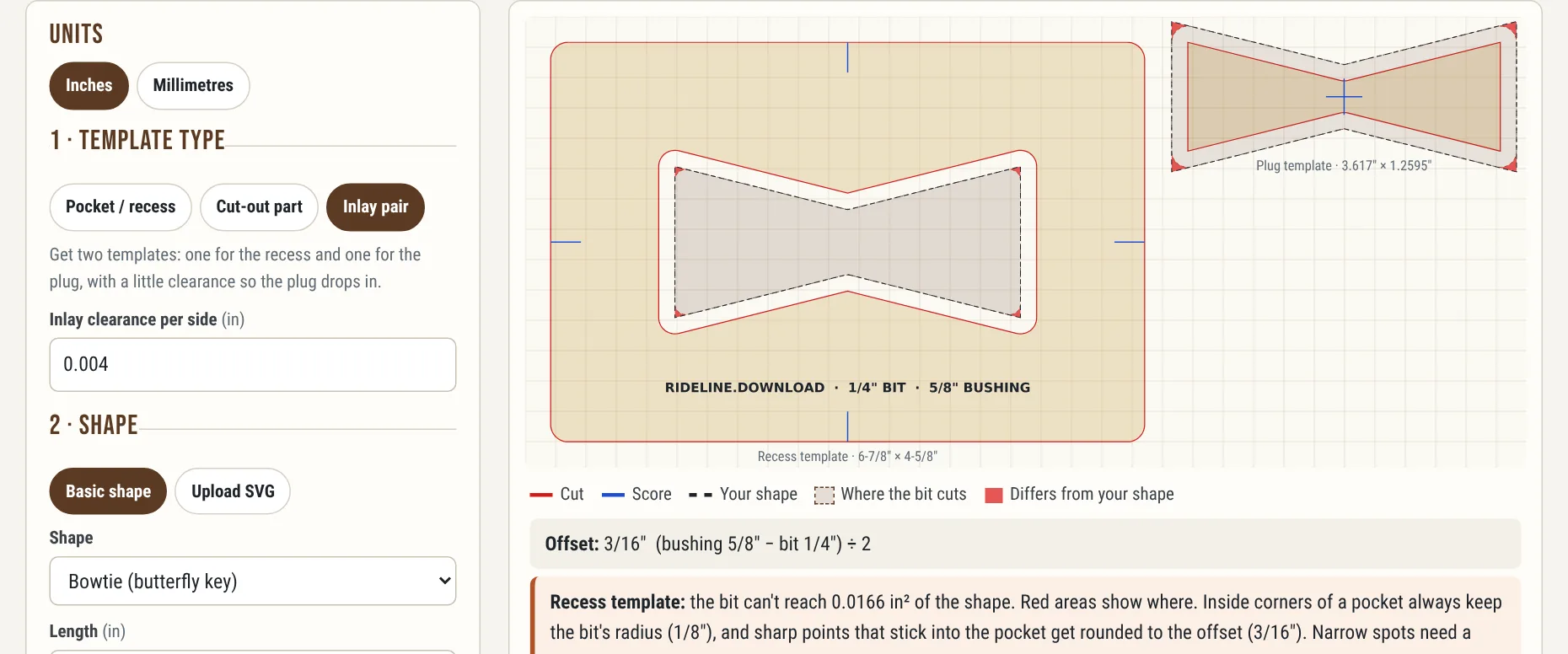
A butterfly key inlay pair: the recess template on the left, the plug template on the right.
The Offset, in One Line
With a 5/8″ bushing and a 1/4″ bit, that's 3/16″. A 4 × 2 in pocket needs a template opening of 4-3/8 × 2-3/8 in. A 4 × 2 in part needs a template of 3-5/8 × 1-5/8 in. Rectangles are easy enough to work out on paper. Curves, bowties and anything you drew yourself are not, and scaling the drawing up or down doesn't work: scaling moves long edges more than short ones. A template needs a true offset, where every edge moves the same distance, exactly the way the bushing rides.
If you'd rather look it up, there's a full guide bushing offset chart for common inch and metric bits and bushings.
What Rideline Does
Why the Simulation Matters
A round bit can't cut a square inside corner. Every inside corner of a pocket keeps at least the bit's radius, and every outside corner of a routed part comes out rounded to the offset, because the bushing rolls around the template corner. Narrow parts of a shape can be too tight for the bushing to get into at all.
None of that is a surprise once you've ruined a board finding out. Rideline shows those spots in red before you cut anything, and tells you how much is off. Then you can round the corners in your design, pick a smaller bit or bushing, or plan on cleaning up with a chisel.
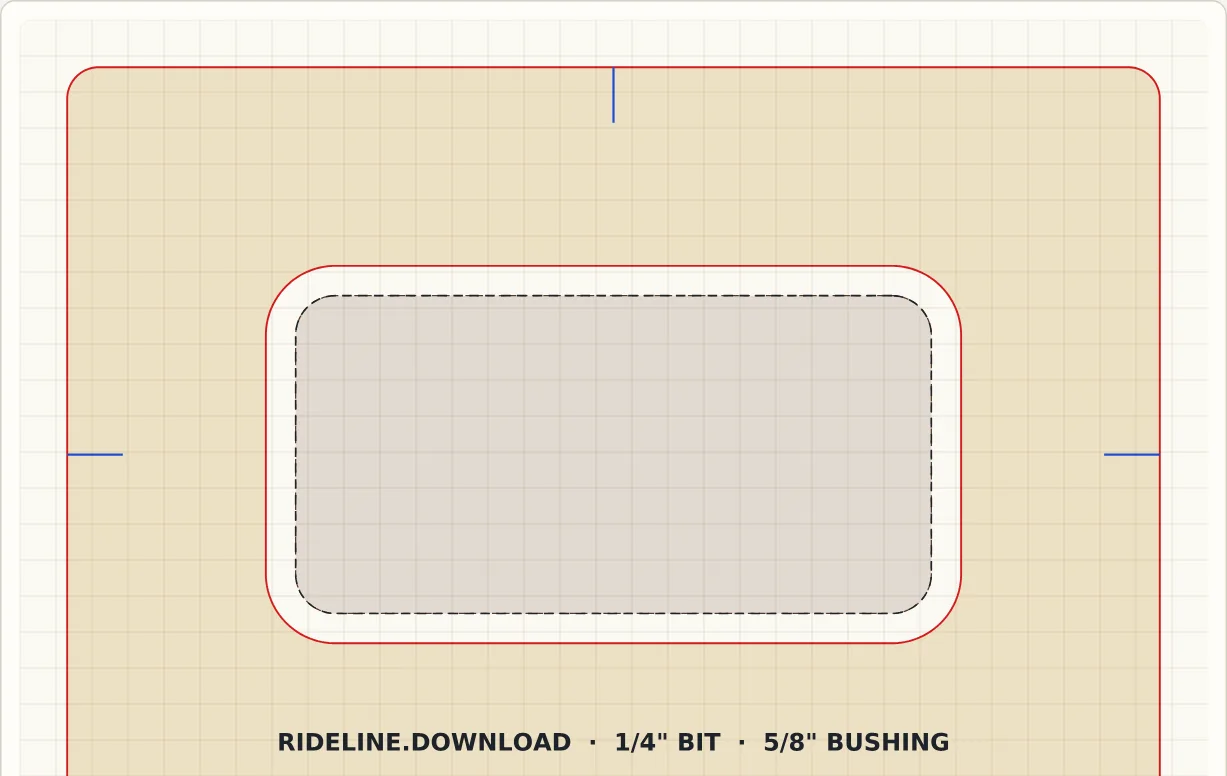
A pocket template with the corner radius set larger than the bit: it cuts exactly as drawn.
Inlays and Butterfly Keys
The inlay mode makes two templates from one shape: a recess template offset outward and a plug template offset inward, with a little clearance so the plug drops in with room for glue. It checks the simulated plug against the simulated recess and warns you if they'd bind anywhere. There's more on clearances, corners and single-template inlay kits in the router inlay guide.
Cutting the Template
I cut mine from 1/4″ clear cast acrylic. It leaves a smooth, hard edge for the bushing to ride, you can see your layout lines through it, and it lasts. MDF works too if you seal the edges. Whatever you use, it has to be thicker than the bushing collar is tall, or the collar will hit the workpiece before the router base sits down. The how-to guide walks through the whole process.
Measure your bushing. Bushings are sold by nominal size, and the real collar isn't always exactly what's stamped on it. A few thousandths matter for an inlay. Put calipers on it and type the measured size into Rideline's custom field.
Nothing Leaves Your Browser
Rideline does all of its work on your own computer. Your shapes and SVG files are never uploaded, there's no account, and the site has no analytics or tracking cookies. Open rideline.download and start drawing.
Check out more free tools and apps at varo.industries/apps.
Frequently Asked Questions
Sources & References
- Rideline — free router guide bushing template generator
- Guide bushing offset chart & calculator — Rideline
- Router inlay templates — Rideline